

Stay close. See deeper.
The hub for your reef.
A small computer next to your tank that brings all your equipment together: sensors, lights, pumps and dosers. Local, safe, and reachable anywhere if you want.
A tank we know.
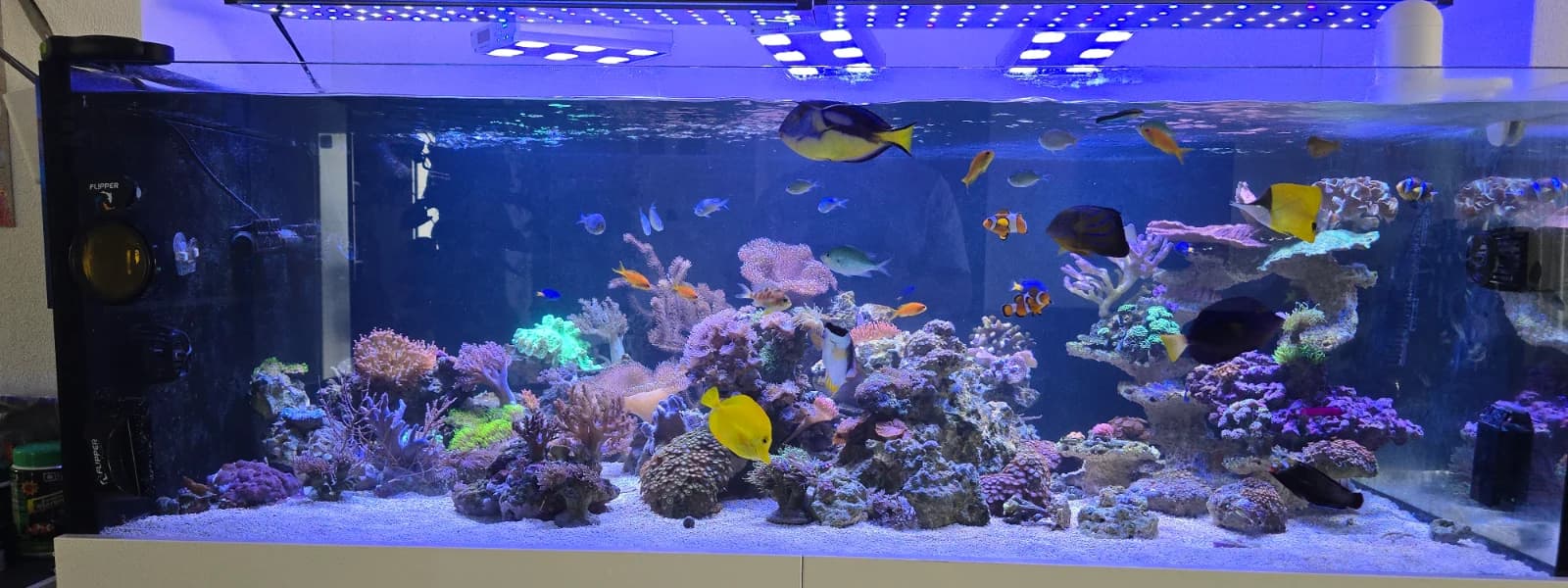
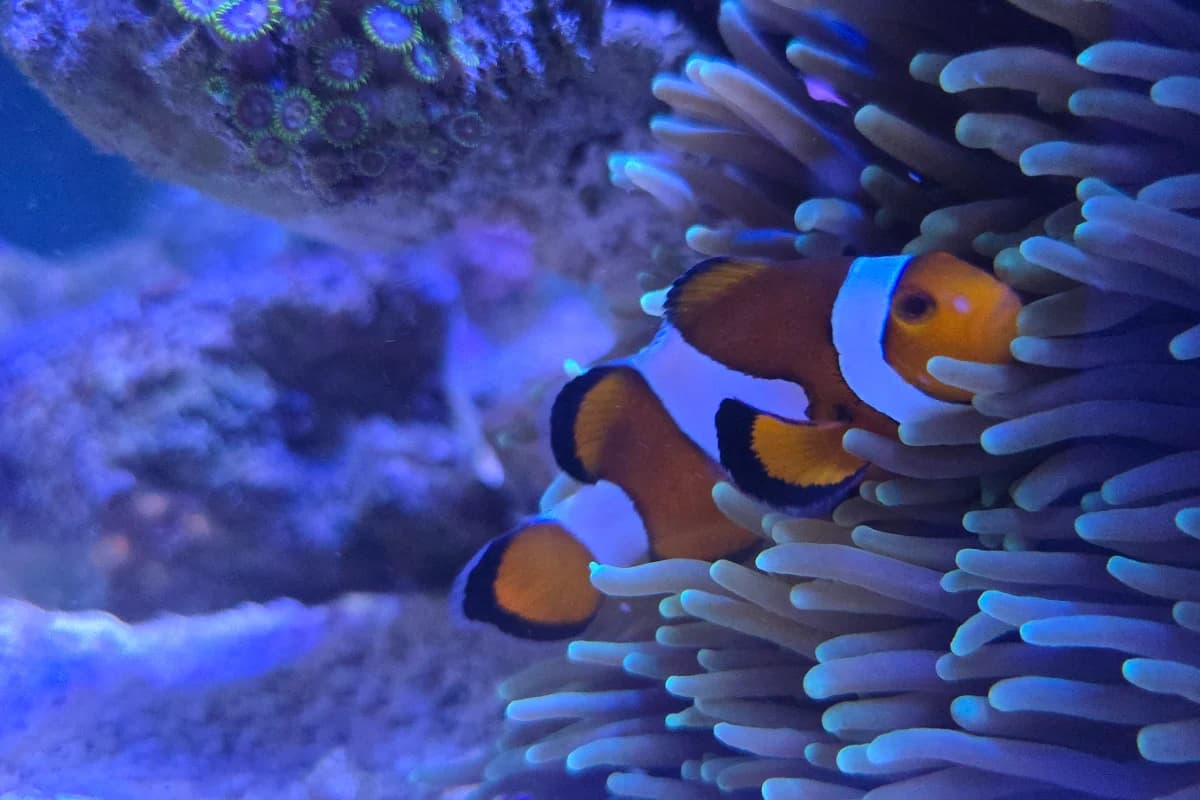
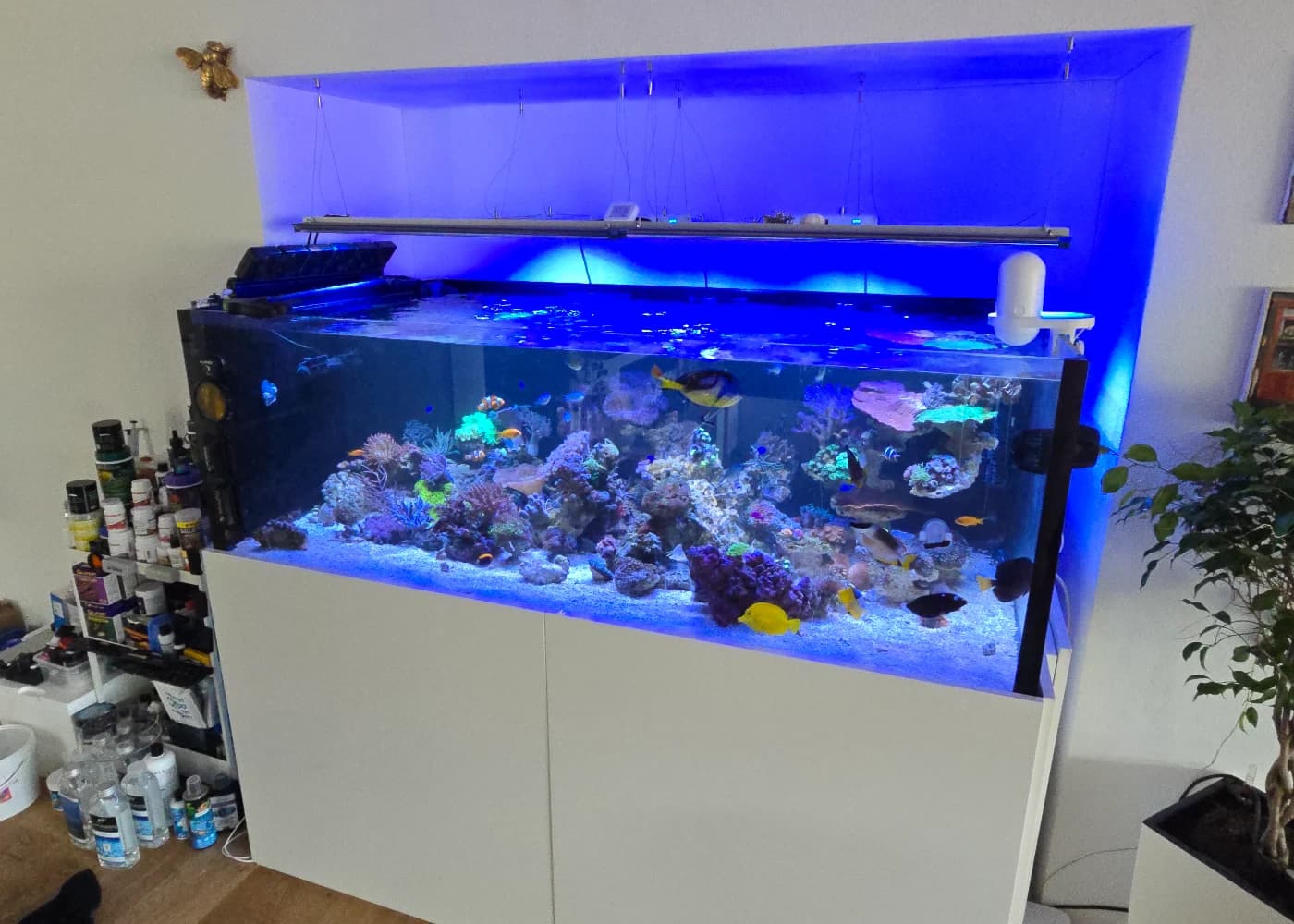
The photos on this page come from a real reef tank, not from a catalogue. That is where Tridaqua has been running for months, day and night.
Not another tablet.
Tridaqua is a small dedicated computer that stays with your tank. It does not replace your equipment, it brings it together. Your controller, lights, pumps and dosers stay as they are and now speak in one place.
In four steps
- 1
Connect
Plug it in, by cable or Wi-Fi. Tridaqua finds the devices at your tank and asks before it takes any of them over.
- 2
Collect
Readings, states and run times come together locally. Even without internet, around the clock.
- 3
See and control
One display for the wall, the tablet and your phone. You decide what matters.
- 4
Anywhere
At my.tridaqua.com you see your tanks on the go. Alerts reach your phone when something drifts out of range.
This is what it looks like.
The reef display shows every reading at a glance, on the screen next to the tank and on your phone. These captures come from a live system, with its real values.
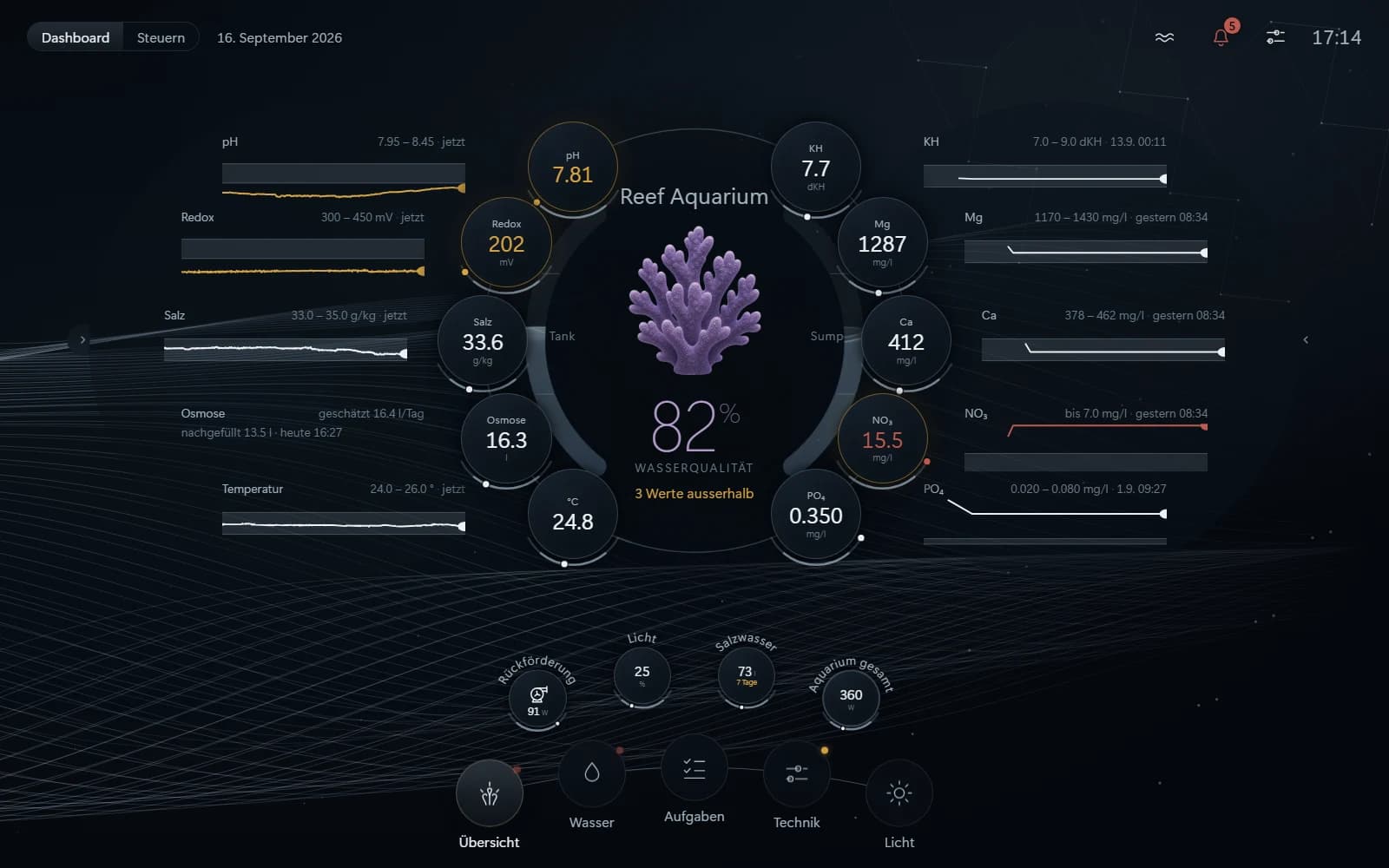
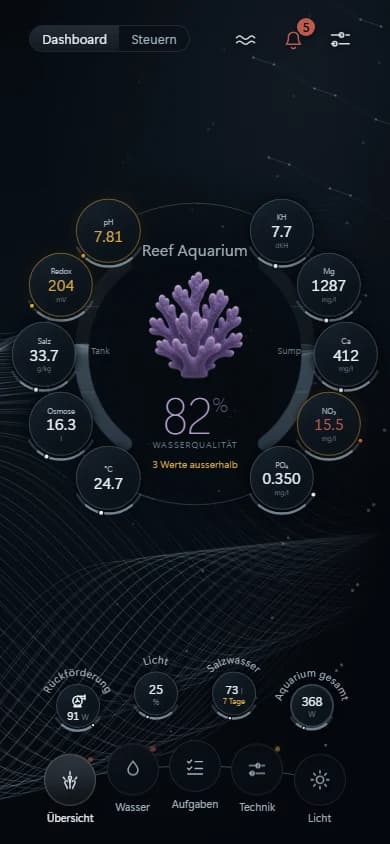
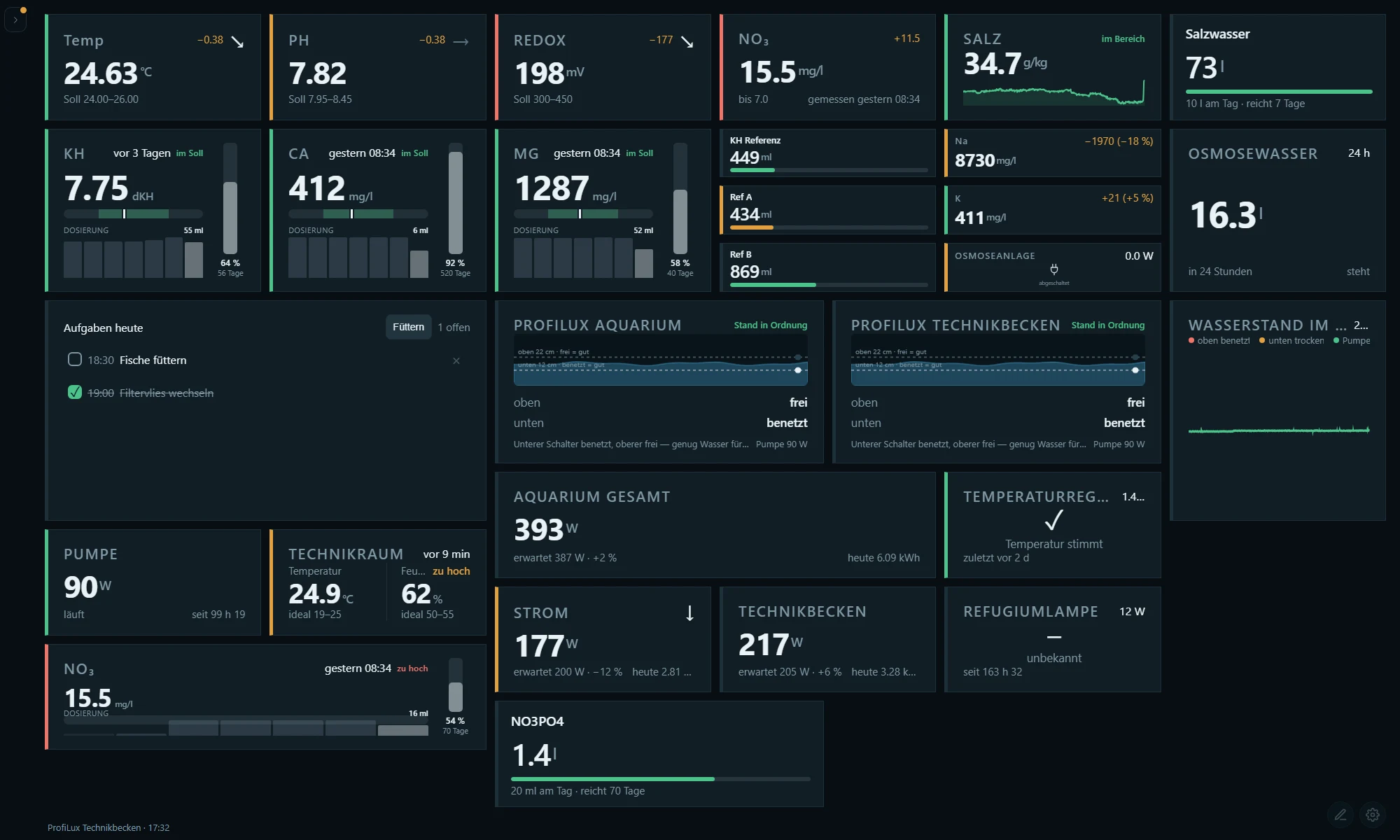
The state of your water at a glance.
At the centre of the display is an animal that shows how your tank is doing. When values leave their range, it loses its colour, just like on the reef. You choose: coral or tridacna.
 90 %
90 % 60 %
60 % 30 %
30 % 90 %
90 % 60 %
60 % 30 %
30 %Your equipment stays.
In Tridaqua, every manufacturer is its own plug-in card. This list is generated straight from the software, so it only shows what works today. More brands follow continuously.
55 of 55 products
workingin progressnot yet
| Product | Brand | Functions | Read | Control | |
|---|---|---|---|---|---|
| ReefLight | Aqua Perfekt | Light channels · Daily curve | Read | Control | |
| Three-channel light (WRGB II, Slim, RGB VIVID, RGB+APLUS) | Chihiros | Light channels · Daily curve · Readings | Read | Control | |
| Single-channel light (A, A II, C, C II, Commander X) | Chihiros | Light channels · Daily curve · Readings | Read | Control | |
| Four-channel light (WRGB II Pro, Universal WRGB, VIVID III, SEA_LED, Commander 4) | Chihiros | Light channels · Daily curve · Readings | Read | Control | |
| Two-channel light (X300, Z Light TINY) | Chihiros | Light channels · Daily curve · Readings | Read | Control | |
| Dosing Pump | Chihiros | Dosing | Read | Control | |
| Heater | Chihiros | Switching · Readings | Read | Control | |
| Mag Stirrer | Chihiros | Pump speed | Read | Control | |
| AI Prime HD 16 | EcoTech Marine | Light channels | Read | Control | |
| VorTech MP-10 / MP-40 / MP-60 | EcoTech Marine | Pump speed · Wave modes · Readings | Read | Control | |
| AI Nero 3 / 5 / 7 | EcoTech Marine | Pump speed · Readings | Read | Control | |
| Coffee Marine Orbit / Axis | EcoTech Marine | Pump speed · Readings | Read | Control | |
| Radion XR15 / XR30 | EcoTech Marine | Light channels | Read | Control | |
| Vectra | EcoTech Marine | Pump speed · Readings | Read | Control | |
| ProfiLux 4 / 4.1 | GHL | Readings · · Light channels · Dosing · Level | Read | Control | |
| Doser 2.x / Maxi | GHL | Dosing · Level | Read | Control | |
| Mitras LX7 / LX8 | GHL | Light channels · Daily curve · Readings | Read | Control | |
| HeliaLux SmartControl | Juwel Aquarium | Light channels · Readings | Read | Control | |
| Ethereal E5 | Maxspect | Light channels · Daily curve | Read | Control | |
| Floodlight F2 | Maxspect | Light channels · Daily curve | Read | Control | |
| Gyre (2nd generation) | Maxspect | Pump speed · Wave modes · Feed pause | Read | Control | |
| Gyre (3rd generation) | Maxspect | Pump speed · Wave modes · Feed pause | Read | Control | |
| ICV6 Controller | Maxspect | — | Read | Control | |
| Jump A1 (EggPoint) | Maxspect | Pump speed | Read | Control | |
| Razor R5 | Maxspect | Light channels · Daily curve | Read | Control | |
| Razor R6 | Maxspect | Light channels · Daily curve | Read | Control | |
| Turbine T1 | Maxspect | Pump speed · Feed pause | Read | Control | |
| WiFi Switch | myStrom AG | · Power usage | Read | Control | |
| WiFi Bulb | myStrom AG | Light channels · Power usage | Read | Control | |
| Apex Controller (Apex, Jr, EL, A3) | Neptune Systems | Readings · Switching · Power usage | Read | Control | |
| ReefATO+ | Red Sea | Level · Readings | Read | Control | |
| ReefDoser | Red Sea | Dosing · Level | Read | Control | |
| ReefMat | Red Sea | Level · Readings · Maintenance | Read | Control | |
| ReefRun | Red Sea | Pump speed · Readings | Read | Control | |
| KH Keeper and KH Keeper Plus | Reef Factory | Readings · Level | Read | Control | |
| pH Meter | Reef Factory | Readings | Read | Control | |
| Dosing Pump and Dosing Pump Pro | Reef Factory | Dosing | Read | Control | |
| Salinity Guardian | Reef Factory | Readings | Read | Control | |
| TDS Meter | Reef Factory | Readings | Read | Control | |
| Thermo View | Reef Factory | Readings | Read | Control | |
| reef-pi Controller | reef-pi (Open Source) | Readings · Switching · Dosing | Read | Control | |
| Seneye Home | Seneye | Readings | Read | Control | |
| Seneye Pond | Seneye | Readings | Read | Control | |
| Seneye Reef | Seneye | Readings | Read | Control | |
| Plug and switching Shellys (Gen2+) | Shelly Europe | · Power usage | Read | Control | |
| Dimmer and RGBW | Shelly Europe | Light channels | Read | Control | |
| H&T Gen3 | Shelly Europe | Readings | Read | Control | |
| i4 and other inputs | Shelly Europe | Readings | Read | Control | |
| Plus Add-on (attached sensors) | Shelly Europe | Readings | Read | Control | |
| Plus Flood (water leak sensor) | Shelly Europe | Readings | Read | Control | |
| PM Mini (metering, no switch) | Shelly Europe | Power usage · Readings | Read | Control | |
| Pro 3EM | Shelly Europe | Power usage · Readings | Read | Control | |
| Dimmer and LED strips | Tasmota | Light channels | Read | Control | |
| Sensors (DS18B20, DHT and others) | Tasmota | Readings | Read | Control | |
| Switched device | Tasmota | Switching · Power usage | Read | Control | |
Tell us what you have and what you want to do.
Describe your setup in your own words. We compare it with the list above and tell you what works today, what is missing and what is not possible at all. Reef keeping only, nothing else.
There is life in your tank.
Reading is harmless. Writing is not. That is why every command in Tridaqua passes the same four safeguards, without exception.
Lock
Nothing is switched until you enable it on the device.
Limits
Every setpoint has an allowed range, every pump a minimum speed.
Read-back
After every command, Tridaqua checks what the device is really doing.
Log
Every attempt is recorded, including the rejected ones.
Be among the first
Tridaqua is being built. Join the list and we will let you know as soon as the first devices are ready.
We will only write to you about Tridaqua, and you can unsubscribe at any time.